
Introduction : Best Techniques to Warm Up Your Cold Emails
Warming up your cold emails is one of the most important steps before launching outreach campaigns - especially if you're using a new domain, new inbox, or have low sender reputation. For teams across the US, UK, Canada, Australia, and New Zealand, proper warm-up ensures your messages land in inboxes, not spam folders.
This guide explains the best warm-up techniques, how to warm up a new domain, how to protect deliverability, and how to avoid common mistakes that kill cold email performance.
Why Is Email Warm-Up Important Before Cold Outreach?
Email warm-up builds trust with mailbox providers. When you gradually increase sending volume, maintain engagement, and follow safe sending patterns, your domain becomes more reputable. This helps your cold emails reach the inbox consistently.
Fact: 80% of deliverability issues come from sending too many emails too quickly without warming up the inbox or domain.
Key Reasons Warm-Up Matters
Why the warm-up stage is essential:
Improves domain reputation
Reduces spam placement
Stabilizes deliverability
Prevents blocklisting
Avoids sudden volume spikes
Builds sender trust gradually
Warm-up is the foundation of successful outreach.
How Long Should You Warm Up a New Email Account?
Warming up an inbox typically takes 2–4 weeks depending on your domain age, sending history, and target locations. New accounts require slower volume increases to avoid triggering spam filters.
Fact: Fresh inboxes should avoid sending more than 10–20 emails/day in the first week.
Warm-Up Timeline Breakdown
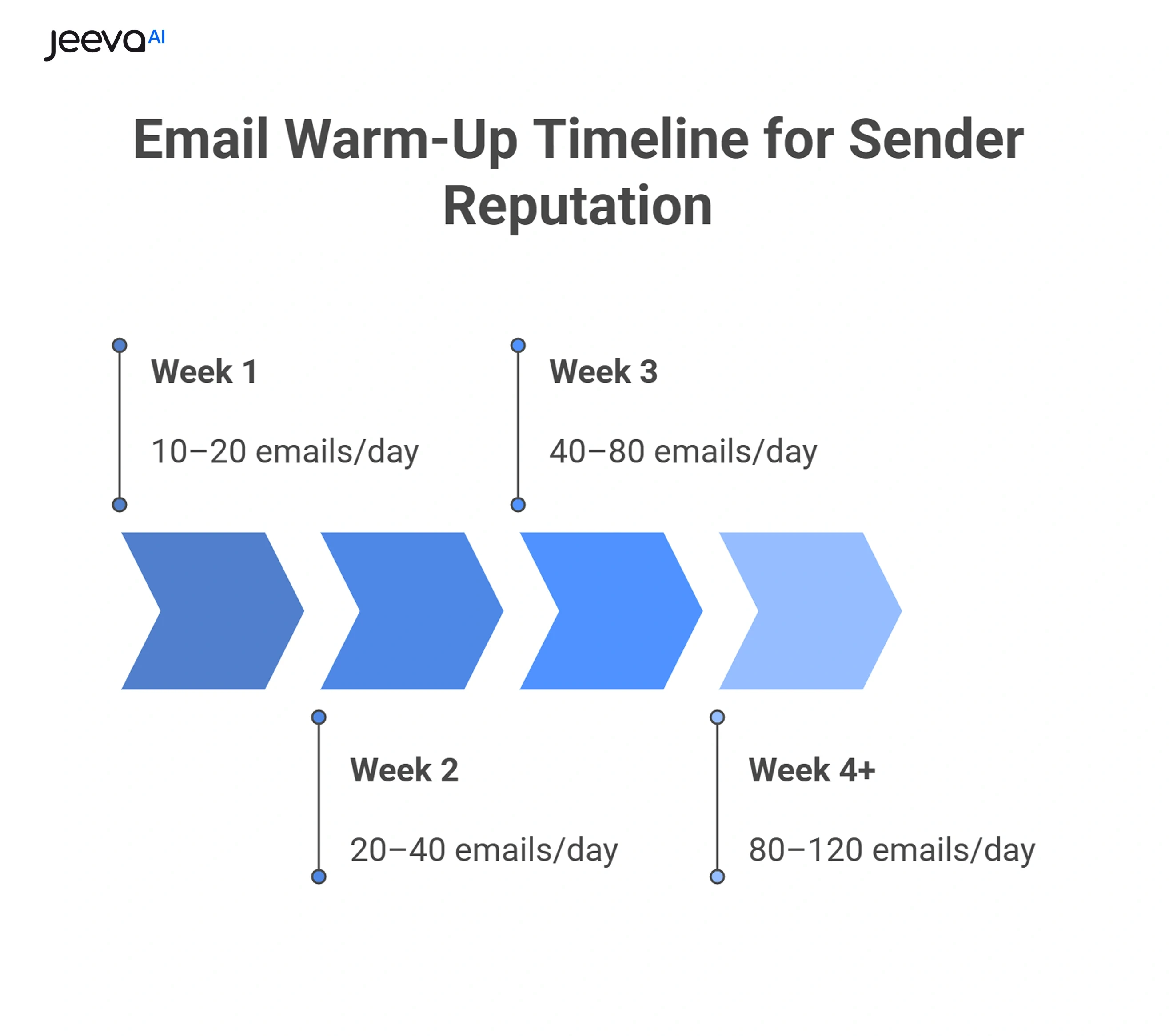
A typical warm-up timeline looks like this:
Week 1: 10–20 emails/day
Week 2: 20–40 emails/day
Week 3: 40–80 emails/day
Week 4+: 80–120 emails/day
Avoid sudden jumps
Always monitor bounce rate
Scaling slowly protects sender reputation.
Recommended Email Warm-Up Volume (Day-by-Day)
Week | Emails/Day | Goal |
|---|---|---|
Week 1 | 10–20 | Build initial trust |
Week 2 | 20–40 | Increase activity gradually |
Week 3 | 40–80 | Expand outreach safely |
Week 4 | 80–120 | Stabilize deliverability |
Week 5+ | 120–150 | Maintain reputation |
What Are the Best Techniques to Warm Up Your Cold Emails?
The most effective warm-up strategies focus on gradually increasing volume, sending to engaged recipients, and keeping your domain healthy. A mix of manual warm-up and automated warm-up tools works best.
Fact: Accounts warmed up using both manual and automated methods see 2.5x higher inbox placement.
Proven Warm-Up Techniques
Use these safe warm-up strategies:
Start with small daily volumes
Send to engaged contacts first
Set up proper SPF/DKIM/DMARC
Use warm-up tools for reply simulations
Avoid sending identical templates
Maintain healthy sending patterns
Warm-up is about building trust - not speed.
How Do You Warm Up a New Domain Safely?
New domains are the most fragile. ISPs treat them as untrusted until they show consistent, safe behavior. Warm-up for a new domain should be even slower than inbox warm-up.
Fact: New domains take 4–6 weeks to reach stable inbox placement.
New Domain Warm-Up Steps
Follow these steps when starting from scratch:
Age the domain for 1–2 weeks
Set up DKIM, SPF, DMARC
Create multiple inboxes gradually
Begin with internal email exchanges
Slowly add external warm contacts
Avoid cold outreach for the first 2–3 weeks
New domains must earn reputation before outbound campaigns.
Domain Warm-Up Timeline & Actions
Phase | Duration | Action |
|---|---|---|
Domain Aging | 7–14 days | DNS setup, no sending |
Light Sending | Week 1–2 | Internal + warm contacts |
Moderate Sending | Week 3–4 | 20–40 external emails/day |
Full Outreach | Week 5+ | Cold campaigns begin |
What Tools Help Warm Up Email Accounts Easily?
Warm-up tools simulate conversations, open rates, and positive engagement, which send strong signals to mailbox providers. These tools speed up warm-up time and improve trust.
Fact: Warm-up tools reduce spam risk by 40–60%.
Features to Look for in Warm-Up Tools
Choose tools with:
Automated reply networks
Gradual volume scaling
Spam detection alerts
Real deliverability monitoring
Domain reputation scoring
Multi-inbox warm-up support
These tools provide predictable warm-up results.
How Do Authentication Records Affect Email Warm-Up?
SPF, DKIM, and DMARC are must-have authentication protocols. Without these, your warm-up won’t work properly because mailbox providers can’t verify your identity.
Fact: SPF + DKIM alone improve inbox placement by 26%.
Essential Authentication Setup Checklist
Before warm-up, always ensure:
SPF is valid and aligned
DKIM is configured with 1024/2048 keys
DMARC is set to “none” first
MX records are clean
Reverse DNS is correct
No conflicting DNS entries
Your DNS setup is your deliverability foundation.
How Do You Measure Whether Your Email Warm-Up Is Working?
Tracking performance during warm-up helps detect early issues like spam traps, high bounce rates, or low engagement.
Fact: Open rates below 40% during warm-up indicate sender reputation issues.
Metrics to Monitor Daily
Look at these KPIs during warm-up:
Open rate from warm contacts
Reply rate
Bounce rate
Spam placement
Reputation scores
Daily volume stability
If your numbers drop, slow down.
Good vs. Bad Warm-Up Signals
Metric | Good Warm-Up | Bad Warm-Up |
|---|---|---|
Open Rate | 50–80% | <40% |
Bounce Rate | <2% | >5% |
Spam Rate | <0.1% | >0.3% |
Inbox Placement | High | Mostly spam |
Volume Growth | Gradual | Sudden spikes |
Replies | Positive | None or spam complaints |
What Are the Most Common Email Warm-Up Mistakes?
Mistakes during warm-up can ruin your domain reputation before outreach even begins. Most issues come from scaling too fast or using bad data.
Fact: 33% of new domains get flagged within 30 days due to poor warm-up practices.
Mistakes to Avoid
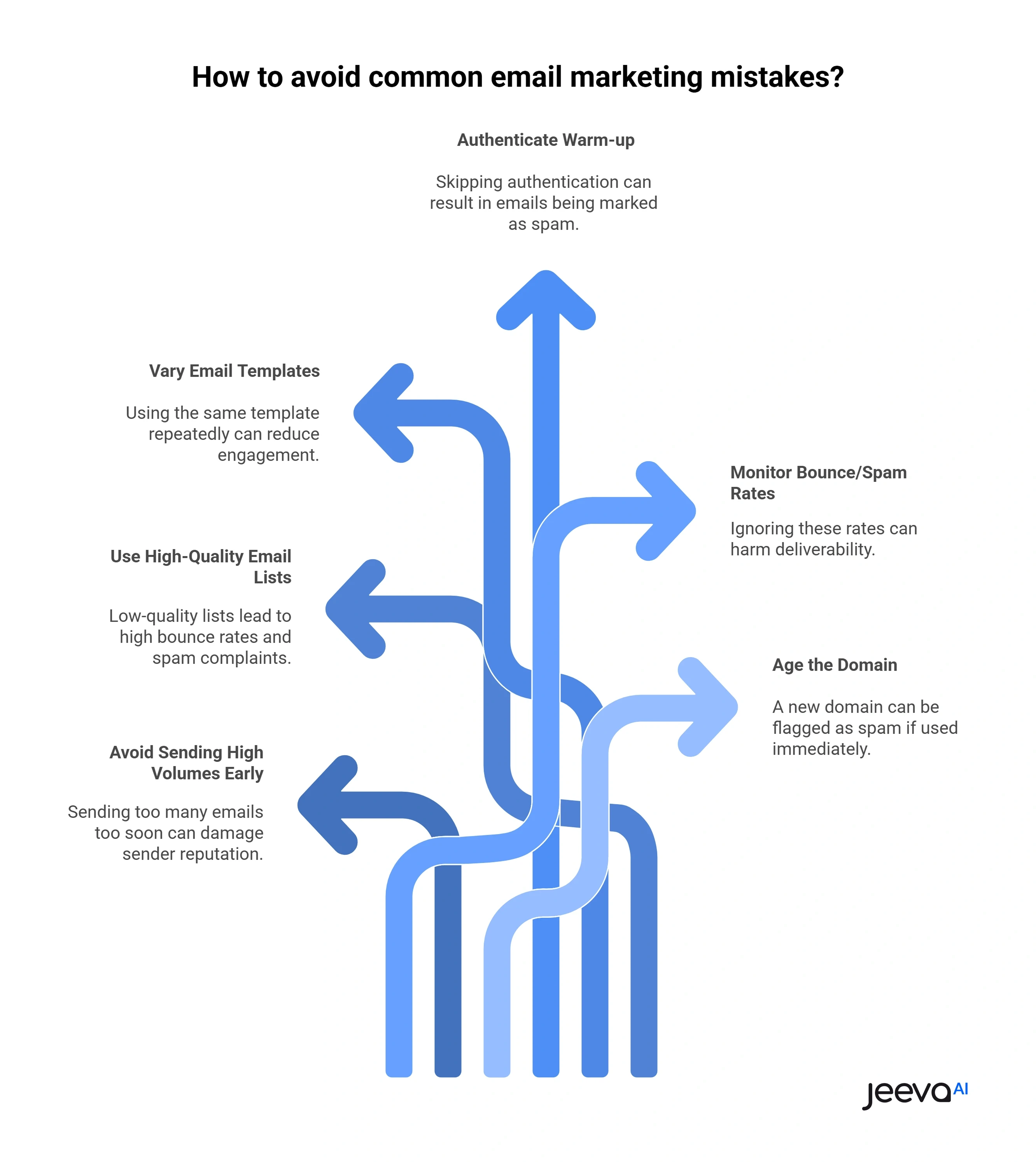
Avoid these common pitfalls:
Sending high volumes too early
Buying low-quality email lists
Using identical templates repeatedly
Warm-up without authentication
Ignoring bounce/spam rates
Not aging the domain
Avoid shortcuts - they backfire.
Do Warm-Up Techniques Differ by Country (US, UK, CA, AUS, NZ)?
Email providers in different regions have different sensitivity levels. Outlook (UK), Gmail (US/CA), and Telstra (AU/NZ) treat new senders differently. Warm-up pacing helps avoid national spam filters.
Fact: Gmail prefers steady, slow warm-up; Outlook requires higher engagement signals.
Region-Specific Tips
Adjust warm-up for these markets:
US → Gmail & Outlook mix
UK → Strict Outlook filtering
CA → High bounce sensitivity
AUS → ISP-based filtering
NZ → Smaller provider networks
Global → Expect mixed results
Warm-up must consider regional inbox behavior.
How Does Jeeva AI Help Improve Email Warm-Up & Deliverability?
Jeeva AI improves warm-up by ensuring advanced sequencing, throttling, compliance logic, safe sending volumes, and real-time monitoring. Its multi-agent system adapts messaging to avoid spam indicators long-term.
Fact: Jeeva AI users see 40–70% higher inbox placement after optimized warm-up cycles.
Why Teams Use Jeeva AI for Warm-Up
Key advantages include:
Automated safe-volume sending
Personalized email drafting
Compliance-friendly patterns
Multi-inbox rotation
Real-time deliverability protection
Domain health monitoring
Jeeva AI ensures warm-up success and long-term deliverability.
Conclusion
Email warm-up is one of the most important steps in outbound success. Whether you're preparing a new domain or a new inbox, warming up properly protects your reputation, increases inbox placement, and boosts cold email results.
When combined with authentication, personalization, and smart sending patterns, warm-up becomes a powerful foundation for high-performing outreach.
With Jeeva AI’s intelligent automation and deliverability safeguards, global teams across the US, UK, Canada, Australia, and New Zealand can run safer, faster, and more effective campaigns.
FAQ
Why is warming up emails important?
How long should I warm up my email account?
How do I warm up a new domain?
Do I need a warm-up tool?
What is the ideal warm-up daily volume?