Introduction
Sales teams across the US, UK, Canada, Australia, and New Zealand rely heavily on automation tools and CRM systems to manage outreach, track leads, enrich accounts, and keep pipelines healthy. But integrating these platforms email automation, CRM, data enrichment, AI assistants, meeting schedulers often becomes chaotic without a clear strategy.
This guide explains the best practices for integrating sales automation platforms and CRM systems, with simple examples and actionable steps that modern revenue teams can follow.
Related reading:
👉 Multi-Channel Sales Automation With Agentic AI
👉 Integrating Jeeva AI with Salesforce
1. Why Is Sales Automation Integration Important for Modern Teams?
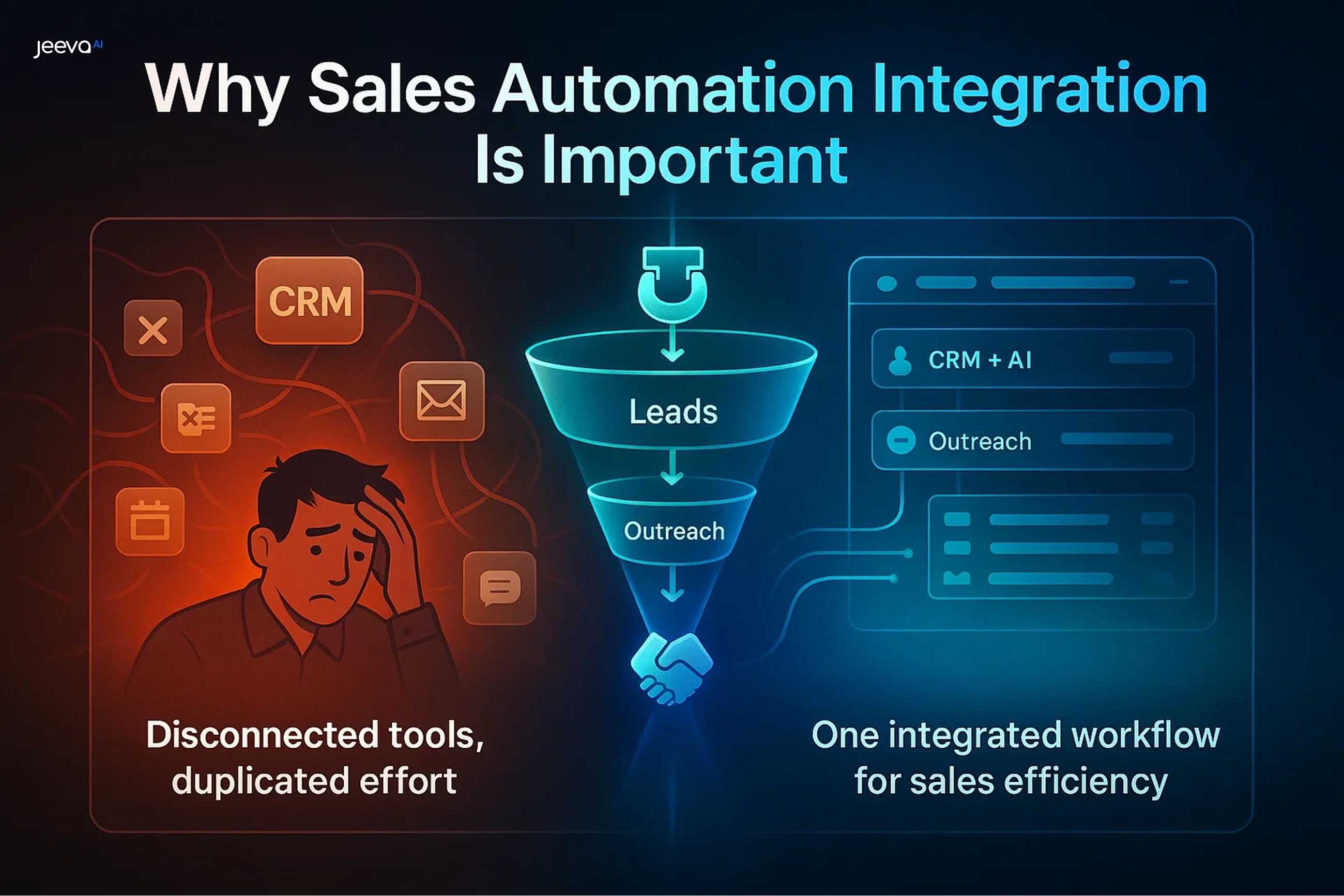
When automation tools are not connected properly, teams lose time switching platforms, entering data manually, and tracking communication inconsistently. Integration creates a single system that moves information automatically from one tool to another.
Fact: Sales teams waste up to 3 hours/day when tools don’t sync properly across CRM and automation systems.
What Integration Helps You Avoid?
Here’s what seamless integration prevents.
Duplicate contacts
Outdated CRM entries
Missed follow-ups
Inconsistent reporting
Manual task overload
Poor customer experience
Integration gives sales reps more time to sell not update tools.
2. What Makes a Sales Automation Platform Effective?
The best sales automation software combines outreach, enrichment, tracking, and CRM syncing in one workflow. Teams need tools that automate repetitive work so reps can focus on conversations and closing deals.
Fact: Automated sales tools improve productivity by 30–45% when used properly.
Signs of a Strong Automation Platform
Look for tools that offer:
Multi-channel outreach
Real-time data enrichment
Sequence personalization
CRM field syncing
Reply handling + inbox management
Meeting scheduling
The right platform becomes your 24/7 sales assistant.
Which CRM Systems Integrate Best with Sales Automation Software?
Choosing the right CRM is essential because it becomes the “source of truth” for all lead and customer data. Modern CRMs support automated workflows and third-party integrations from day one.
Fact: Salesforce and HubSpot remain the top CRM choices for US SaaS teams due to flexibility and integrations.
CRM Systems That Integrate Easily
These are popular across global teams.
Salesforce (most flexible)
HubSpot (best mid-market)
Pipedrive (simple and fast)
Zoho CRM (affordable option)
Microsoft Dynamics (enterprise fit)
Freshsales (small-business friendly)
Your CRM should support API workflows for maximum automation.
What Are the Best CRM Automation Examples for Global Sales Teams?
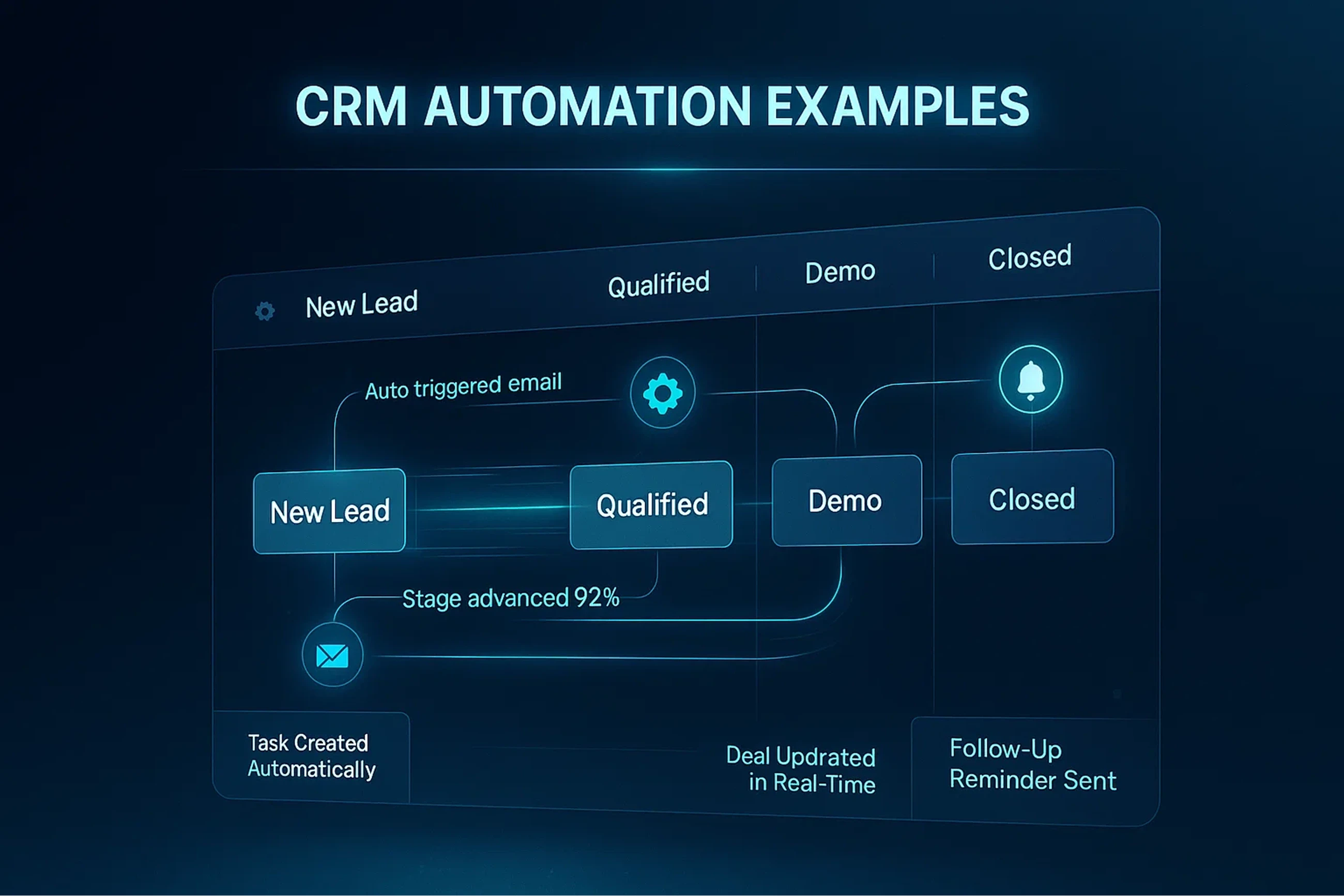
CRM automation helps reps reduce manual tasks and maintain clean, actionable data. The right automations boost engagement, prevent drop-offs, and accelerate pipeline movement.
Fact: CRM automation improves lead response time by 70%, dramatically increasing conversions.
Popular CRM Automation Examples:
These automations save hours every week.
Auto-create leads from form fills
Auto-enrich missing CRM fields
Trigger follow-up tasks
Update lead statuses automatically
Alert reps when hot leads open emails
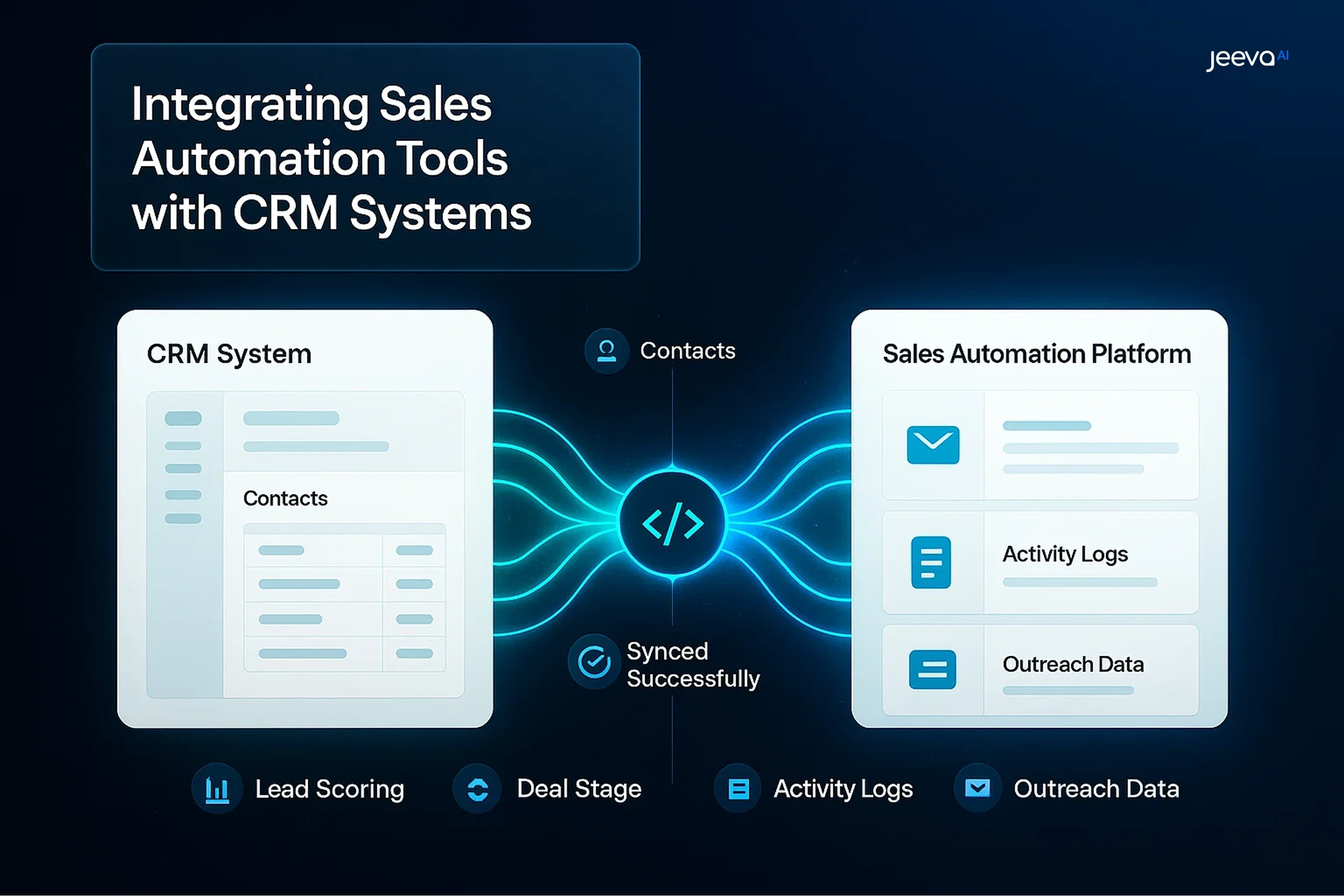
Sync outreach activity logs
These workflows turn your CRM into a living system not a static database.
Top CRM Systems and Strengths
CRM | Best For | Strength |
|---|---|---|
Salesforce | Enterprise | Customization + integrations |
HubSpot | SMB + mid-market | Ease of use |
Pipedrive | Small teams | Visual pipelines |
Zoho | Budget-conscious teams | All-in-one suite |
Dynamics | Regulated industries | Security + governance |
Groundwork: Preparing Before You Touch an API
Laying a strong foundation is critical to integration success. Focus on these core areas:
Checklist | Why It Matters |
Align Objectives & KPIs | Agreement on Cost-Per-Lead, Lead-to-Meeting %, and Payback Period ensures unified goals. |
Data Detox | Duplicate contacts and mismatched picklists break syncs and degrade data quality. |
Process Mapping | Document the lead flow from MQL → SQL → Opportunity to identify integration touchpoints. |
Integration Owner | Designate a RevOps lead to coordinate IT, marketing, and sales efforts. |
Investing a week here can save three in rework later.
Choosing the Right Integration Approach
Option | Pros | Cons | Jeeva 2.0 Fit |
Native Connector (e.g., HubSpot ↔ Salesforce) | Fast setup, no coding required | Limited customization | Supported out-of-the-box |
iPaaS Platform | Drag-and-drop multi-app workflows | Additional license costs | Jeeva webhook recipes ready |
API-First Build | Maximum control, highly customizable | Requires developer resources | Robust REST & WebSocket APIs |
Pro Tip: Start with native connectors; layer advanced API automation after proving ROI.
Eight Best Practices for Seamless Integration
Map Fields Accurately:
Create a single-page data dictionary aligning picklists and date formats to avoid sync failures.Use Inclusion Lists:
Sync only ICP leads and active customers to prevent flooding Salesforce with irrelevant data.Test in a Sandbox:
Validate connectors in staging environments to check duplicates, permissions, and data flows.Start Small, Then Layer Complexity:
Pilot a single segment before scaling to avoid chaos.Monitor Sync Health Weekly:
Use dashboards tracking failed records, API limits, and data skew to preempt issues.Keep Humans in the Loop:
Route AI-generated records to a review queue for 30 days before pushing to live CRM.Plan for Regulatory Guardrails:
Implement region-based data processing, consent logging, and maintain compliance with GDPR & EU AI Act.Iterate Don’t Set and Forget:
Continuously update workflows to prevent errors and disengaged buyers. (All Scapes Marketing)
Six-Week Integration Sprint Plan
Week | Key Actions | Success Metrics |
1 | KPI Alignment & Data Audit | 90% Duplicate Reduction |
2 | Enable Sandbox Connector | Zero Critical Sync Errors |
3 | Field Mapping & Picklist Standardization | 100% Mandatory Fields Mapped |
4 | Pilot on One Persona | Baseline CPL & Meeting Rate |
5 | Optimize Inclusion Rules & Cadence | +15% Reply Rate Lift |
6 | Go Live & Enable Closed-Loop Dashboards | Executive ROI Tracking |
How Do You Choose the Best Automated Sales Tool?
A great sales automation tool must support personalization, data accuracy, and multi-channel workflows not just bulk send emails.
Fact: Sequencing tools with real-time enrichment see double the reply rates of basic outreach tools.
Key Criteria for the Best Automation Tool
Choose a platform that supports:
Personalization at scale
Real-time data sync
Multi-agent workflows
Advanced compliance controls
Native CRM integrations
Send throttling & safety
These ensure automation remains safe and effective.
How Do You Integrate Sales Automation Tools With CRM Systems?
Integration is most effective when data moves automatically between your CRM and sales platforms. This prevents gaps in reporting and makes sure reps always see the latest info.
Fact: Teams that integrate automation tools with CRM reduce manual entry by 80–90%.
Steps for a Clean Integration
Follow these best practices:
Map CRM fields before syncing
Enable two-way syncing
Avoid duplicate data sources
Use OAuth for secure connections
Test automation rules safely
Monitor logs weekly
A well-integrated system prevents errors and saves time.
How Do You Prevent Data Conflicts During Integration?
Poor field mapping or duplicate records can break your CRM and ruin reports. Data conflicts often happen when teams connect multiple automation tools without a central source of truth.
Fact: 30% of CRM data issues come from integrations using different field definitions.
Data Conflict Prevention Tips
To keep data clean, always:
Use unique identifiers
Clean CRM fields before integration
Avoid syncing unnecessary data
Standardize naming conventions
Remove duplicate contacts
Review integration logs
Healthy data = smooth automations.
What Security & Compliance Controls Are Needed in Integrated Sales Systems?
Integrated systems increase risk. Data flows between multiple tools, making compliance crucial—especially under US, UK, CA, and AU privacy laws.
Fact: Compliance-ready automation systems reduce spam complaints by 43%.
Must-Have Security Controls
Platforms should enforce:
Encryption in transit + at rest
Role-based access permissions
Audit logging for every action
Consent-aware messaging
Region-specific data storage
Automated unsubscribe syncing
Security ensures automation doesn’t create compliance issues.
Why Is Jeeva AI the Best Platform for Sales Automation Integration?
Jeeva AI is built with multi-agent architecture designed for deep integration across CRMs like Salesforce, HubSpot, Zoho, and Pipedrive. It automates prospecting, enrichment, outreach, qualification, and scheduling all while syncing activities into CRM automatically.
Fact: Jeeva AI reduces manual sales tasks by 50–70%, making integration seamless for global teams.
Related reading:
👉 Integrating Jeeva AI With Salesforce
👉 Agentic AI Lead Enrichment
Why Global Teams Prefer Jeeva AI
Jeeva AI simplifies automation end-to-end:
Native CRM integration
Field-level enrichment sync
Multi-channel outreach automation
Real-time data updates
Compliance-ready workflows
Multi-agent orchestration
It’s the most complete automation stack for global sales teams.
Conclusion:
Sales automation and CRM integration are now essential for modern revenue teams. When tools are connected correctly, teams close more deals, waste less time, and operate with cleaner data.
By following these best practices secure syncing, automation mapping, data hygiene, and compliance controls organizations across the US, UK, CA, Australia, and New Zealand can build an integrated sales engine that scales.
With its multi-agent design and deep CRM integrations, Jeeva AI delivers the most seamless and effective automation ecosystem.
FAQ
What is the best sales automation platform?
Is there a better CRM than Salesforce?
What’s the best example of CRM automation?
Which tools integrate best with CRMs?
How do I prevent automation errors in my CRM?