Artificial intelligence is changing how enterprises think about work. A few years ago, most organizations were focused on automating repetitive tasks. Then came AI assistants and copilots that could summarize documents, generate content, answer questions, and support employees with faster information retrieval.
Now, a new category is emerging: digital workers.
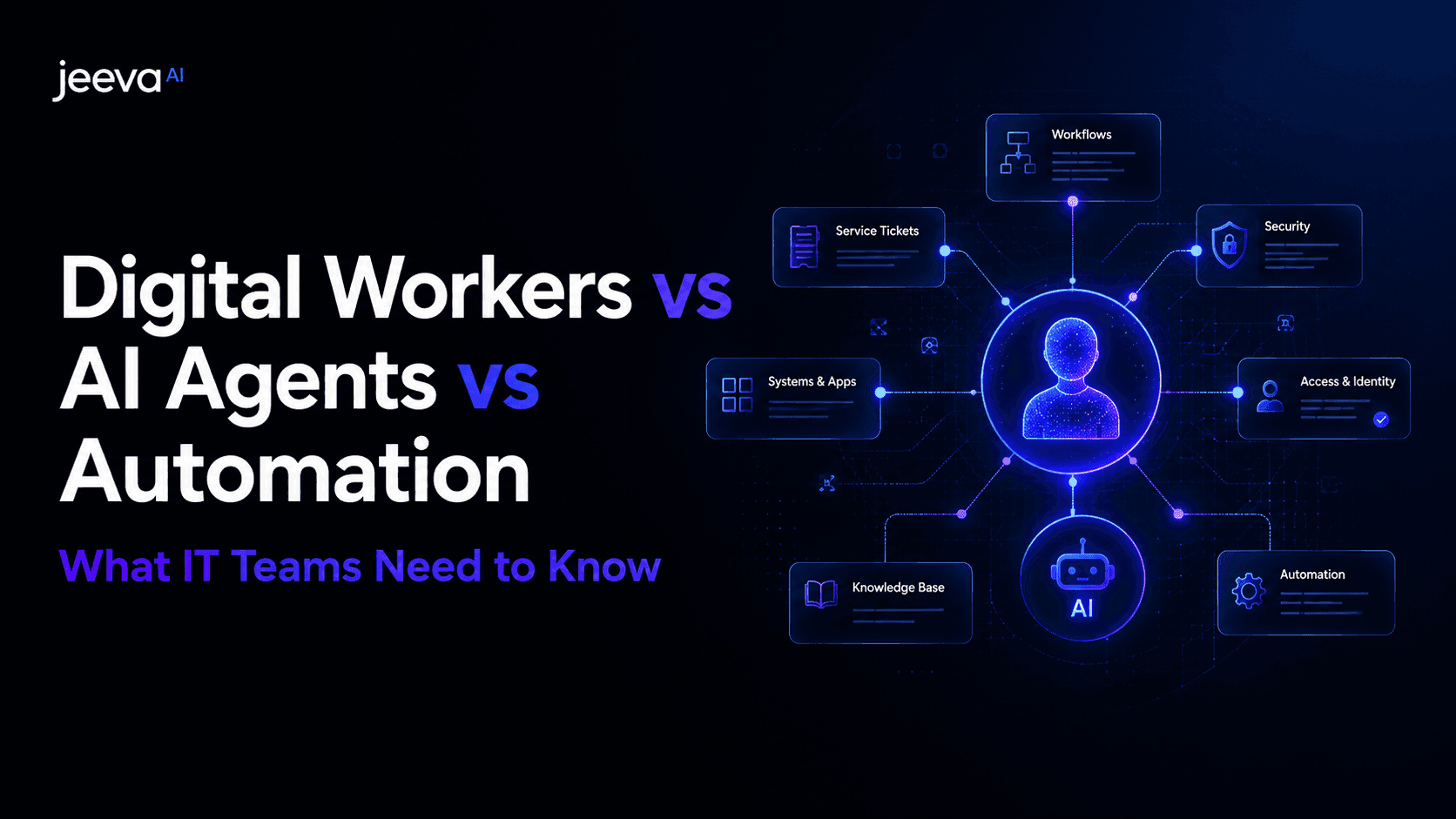
Digital workers are not just tools that assist humans. They are autonomous, role-based AI systems designed to execute day-to-day work across business functions. In IT, this means digital workers can resolve support tickets, manage access requests, triage security alerts, monitor infrastructure, collect audit evidence, support employee onboarding, and coordinate workflows across existing enterprise systems.
This shift has created some confusion. Terms like automation, AI agents, and digital workers are often used interchangeably. However, they do not mean the same thing.
Traditional automation follows predefined rules. AI agents can reason, plan, and take action toward a goal. Digital workers go a step further by packaging agentic capabilities into a role-specific operating model that can perform a defined job function end to end.
For IT leaders, CIOs, CTOs, operations leaders, and enterprise buyers, understanding this distinction is important. The right solution depends on what kind of work you want to automate, how much autonomy you need, and whether the goal is to automate isolated tasks or replicate the execution layer of an entire IT role.
Quick Answer: Digital Workers vs. AI Agents vs. Automation
Automation is the use of software to complete predefined tasks based on rules, triggers, or workflows.
AI agents are intelligent systems that can understand goals, reason through steps, use tools, and take actions with varying levels of autonomy.
Digital workers are role-based autonomous AI workers designed to execute the recurring responsibilities of a specific job function, such as IT help desk, identity and access management, security operations, compliance, NOC monitoring, or employee onboarding.
In simple terms:
Automation completes a task.
AI agents pursue a goal.
Digital workers perform a role.
Why This Difference Matters
The difference matters because enterprise teams are no longer just trying to automate small repetitive tasks. They are trying to reduce operational load across entire functions.
An IT help desk team does not only need a bot that answers questions. It needs a system that can understand an employee issue, check context, open or update a ticket, troubleshoot the problem, take approved actions, escalate when required, document the resolution, and close the loop with the employee.
A security operations team does not only need alerts to be routed. It needs a worker that can classify alerts, enrich them with context, identify false positives, prioritize high-risk incidents, recommend next steps, and escalate critical cases to human analysts.
An identity and access management team does not only need approval routing. It needs a worker that can validate requests, check policy, confirm manager approval, provision access, revoke permissions, log evidence, and maintain audit trails.
This is where the market is moving from task automation to autonomous execution.
What Is Traditional Automation?
Traditional automation refers to software systems that complete specific tasks using predefined logic. These workflows are usually built around rules, triggers, scripts, APIs, or robotic process automation.
For example, an automation workflow may:
Send a notification when a ticket is created.
Route a support request to the right team.
Reset a password after user verification.
Generate a report every Friday.
Move data from one system to another.
Trigger an approval request when access is requested.
Create a checklist when a new employee joins.
Traditional automation is useful when the process is predictable, repetitive, and clearly defined. It works best when the inputs, rules, and outcomes are known in advance.
For many years, enterprises used automation to reduce manual effort across IT, finance, HR, sales, support, and operations. It remains valuable because it is reliable, structured, and easy to control. However, traditional automation has limitations.
It struggles when work requires interpretation, judgment, context, or dynamic decision-making. It cannot easily handle ambiguous requests, changing priorities, incomplete information, or multi-step reasoning across multiple systems.
For example, if an employee says, “I cannot access the finance dashboard after switching teams,” a simple automation may not know what to do unless the request matches a predefined workflow. A human IT employee would understand that this may involve identity context, department changes, permission groups, manager approval, SaaS access, and audit logging.
Traditional automation can execute instructions. It does not truly understand the work.
What Are AI Agents?
AI agents are software systems that use artificial intelligence to understand goals, plan steps, use tools, interact with systems, and take actions. Unlike traditional automation, AI agents do not always need every step to be predefined.
An AI agent can interpret a request, decide what information it needs, call external tools, reason through possible actions, and complete a task based on a goal.
For example, an AI agent may:
Read a support ticket and classify the issue.
Search internal documentation for a solution.
Ask a follow-up question if information is missing.
Summarize an incident for an engineer.
Retrieve user details from an identity system.
Draft a response to an employee.
Recommend whether a security alert should be escalated.
Create or update records in business systems.
AI agents are more flexible than traditional automation because they can deal with natural language, unstructured data, and contextual decision-making. They are especially useful when work requires reasoning instead of simple rule execution.
However, not every AI agent is a digital worker.
Many AI agents are task-oriented. They may help complete one action or a narrow workflow. For example, an agent may summarize a ticket, draft a response, generate a report, or retrieve information from a knowledge base. These capabilities are powerful, but they do not necessarily represent a complete job function.
An AI agent is often a component. A digital worker is a packaged role.
What Are Digital Workers?
Digital workers are autonomous AI systems designed to perform the recurring responsibilities of a specific business or IT role. They combine AI reasoning, workflow automation, system integrations, context awareness, decision logic, permissions, escalation paths, and auditability into a role-based execution model.
In IT, a digital worker may be designed for a specific function such as:
Help desk support
Identity and access management
Security operations
NOC monitoring
IT compliance and audit
Incident and change management
System administration
Asset and SaaS operations
Employee onboarding
Employee offboarding
A digital worker does not simply respond to one prompt or execute one rule. It operates across a defined set of responsibilities.
For example, an IT help desk digital worker can receive an employee request, understand the issue, search relevant systems, apply approved troubleshooting steps, resolve common tickets, escalate complex cases, update the ticketing system, notify the employee, and document the resolution.
An identity and access management digital worker can process access requests, verify policies, check approval chains, provision or revoke access, update identity platforms, and maintain audit trails.
A security operations digital worker can triage alerts, enrich them with context, identify false positives, prioritize risks, escalate threats, and support human analysts with structured investigation summaries.
The defining feature of a digital worker is not just intelligence. It is ownership of a role-specific workflow.
Digital Workers vs. AI Agents vs. Automation: Core Difference
The easiest way to understand the difference is to look at the level of responsibility.
Category | Primary Function | Best For | Level of Autonomy | Example |
|---|---|---|---|---|
Traditional Automation | Executes predefined tasks | Repetitive rule-based workflows | Low | Route a ticket to the right team |
AI Agents | Reason and act toward a goal | Dynamic tasks requiring context | Medium to high | Classify a ticket and suggest next steps |
Digital Workers | Perform role-based work end to end | Recurring job functions across systems | High | Resolve help desk tickets autonomously and escalate exceptions |
Traditional automation is process-based.
AI agents are goal-based.
Digital workers are role-based.
This distinction is important because enterprises do not operate in isolated tasks. They operate through roles, responsibilities, approvals, systems, policies, and outcomes.
A digital worker is designed around that reality.
Example: IT Help Desk
Let us compare how automation, an AI agent, and a digital worker would handle the same IT help desk scenario.
An employee submits a request:
“I cannot access Salesforce after my department changed last week.”
Traditional Automation
A traditional automation workflow may detect the keyword “Salesforce” and route the ticket to the SaaS admin team. It may send a notification to the employee saying the request has been received. If a predefined access request form exists, it may trigger that workflow.
This helps with routing, but it does not resolve the issue.
AI Agent
An AI agent may read the ticket, understand that the issue is related to access, check internal documentation, ask whether the user has manager approval, and suggest that the issue may be related to group permissions after a department change.
This is more intelligent. However, depending on how the agent is configured, it may still stop at recommendation or partial execution.
Digital Worker
A help desk or IAM digital worker can understand the issue, check the employee’s department change, verify policy, confirm whether the user should have Salesforce access, check approval requirements, provision the right access if permitted, update the ticket, notify the employee, and document the action for audit purposes.
This is not just assistance. It is execution.
Example: Security Operations
Security operations teams often deal with overwhelming alert volumes. The difference between automation, AI agents, and digital workers becomes very clear in this environment.
Traditional Automation
A rule-based automation may route alerts based on severity. For example, all “high severity” alerts may be sent to a specific Slack channel or incident queue.
This improves speed but does not reduce investigation workload.
AI Agent
An AI agent may summarize an alert, enrich it with some context, and recommend whether the alert looks suspicious. It may help analysts understand what happened faster.
This improves decision-making but may still require manual follow-through.
Digital Worker
A security operations digital worker can triage alerts, correlate signals across tools, identify known false positives, enrich incidents with endpoint and identity context, prioritize based on risk, escalate critical alerts, create investigation summaries, and update the case management system.
This reduces the operational burden on security analysts because the digital worker handles the repetitive investigation layer.
Example: Employee Onboarding
Employee onboarding is another strong example because it is not one task. It is a chain of tasks across HR, IT, identity, devices, SaaS systems, and compliance.
Traditional Automation
A workflow may create an onboarding checklist when a new employee is added to the HR system.
AI Agent
An AI agent may generate a personalized onboarding plan or answer questions from the new hire.
Digital Worker
An onboarding digital worker can coordinate the full workflow. It can detect a new hire record, create required IT tickets, provision approved access, assign device tasks, update systems, send reminders, track pending approvals, notify stakeholders, and ensure the employee is ready on day one.
This is why digital workers are especially valuable for workflows that cross multiple systems and teams.
Why Enterprises Are Moving Beyond Traditional Automation
Traditional automation has helped enterprises improve efficiency, but it has not removed the deepest operational bottlenecks.
Many IT teams still face:
High ticket volumes
Repetitive L1 support requests
Slow access approvals
Manual onboarding and offboarding
Alert fatigue in security operations
Compliance evidence collection
SaaS license waste
Manual system updates
Delayed incident response
Too much context switching across tools
The problem is not that enterprises lack software. Most IT teams already use many tools, including ticketing platforms, identity providers, endpoint management systems, SIEM tools, ITSM platforms, HR systems, SaaS management tools, and collaboration platforms.
The real problem is that work still gets stuck between those tools.
A human employee has to read the request, understand the context, check another system, make a decision, take action, update the ticket, notify someone, and document what happened.
Traditional automation can help with parts of this process. Digital workers are designed to handle the process as a whole.
Why AI Agents Alone Are Not Always Enough
AI agents are a major step forward, but enterprises need more than flexible reasoning. They need reliability, governance, integrations, permissions, escalation rules, audit trails, and role-specific outcomes.
A generic AI agent may be able to reason through a task, but enterprise IT work requires more structure.
For example, an IT digital worker needs to know:
Which systems it can access
What actions it is allowed to take
Which requests require approval
When to escalate to a human
How to log actions
How to maintain compliance records
How to handle exceptions
How to avoid risky changes
How to operate within company policy
How to measure outcomes
This is why digital workers are becoming a practical enterprise category. They take the intelligence of AI agents and apply it within a controlled, role-specific execution framework.
Digital Workers Are Built Around Roles, Not Just Tasks
The most important difference between digital workers and automation is that digital workers are designed around roles.
A role contains multiple responsibilities. It has recurring workflows, required systems, decision points, escalation paths, performance metrics, and compliance expectations.
For example, a help desk role may include:
Ticket intake
Categorization
Troubleshooting
Password resets
SaaS access support
Device issue handling
Employee communication
Escalation to L2 or L3 teams
SLA tracking
Ticket closure
Knowledge base updates
A traditional automation tool may automate one or two of these steps. A digital worker is designed to handle the repeatable portion of the role end to end.
This is what makes digital workers more useful for enterprise transformation. They do not just reduce clicks. They reduce operational workload.
Key Characteristics of Digital Workers
A true digital worker should have several core capabilities.
1. Role-Specific Design
A digital worker should be built for a specific function. A help desk digital worker should understand IT support workflows. An IAM digital worker should understand access policies. A security digital worker should understand alert triage and incident context.
Generic AI is useful, but role-specific AI is more operationally valuable.
2. Workflow Execution
A digital worker should not only recommend actions. It should be able to execute approved workflows across systems.
For IT teams, this may include updating tickets, provisioning access, revoking permissions, collecting evidence, creating incident records, notifying stakeholders, or triggering escalation paths.
3. System Integrations
Digital workers need to connect with the tools teams already use. In enterprise IT, this may include platforms such as ServiceNow, Jira, Okta, CrowdStrike, Intune, SIEM tools, HR systems, ticketing systems, endpoint management platforms, and collaboration tools.
Without integrations, digital workers become another isolated interface. With integrations, they become an execution layer.
4. Context Awareness
A digital worker should understand the context around a request. This may include employee role, department, device status, access history, ticket history, security posture, approval requirements, and company policy.
Context is what allows digital workers to make better decisions.
5. Guardrails and Permissions
Autonomy does not mean unlimited control. Enterprise digital workers need clear boundaries.
They should know what they can do automatically, what requires approval, and what must be escalated to a human.
6. Escalation Logic
A digital worker should know when not to act. This is especially important in IT, security, compliance, and identity workflows.
The best digital workers handle repetitive work autonomously while escalating ambiguous, risky, or high-impact decisions to humans.
7. Auditability
Every action taken by a digital worker should be traceable. IT leaders need to know what was done, when it was done, why it was done, and which systems were affected.
This is especially important for compliance, security, access management, and change management.
8. Measurable ROI
Digital workers should improve measurable business and IT outcomes. Common metrics include ticket resolution time, MTTR, SLA performance, cost per ticket, access request turnaround time, alert triage time, onboarding completion time, audit preparation time, and employee satisfaction.
Digital Workers in IT: High-Impact Use Cases
IT is one of the strongest environments for digital workers because IT teams manage large volumes of repetitive, process-heavy, and system-driven work.
Help Desk Digital Workers
Help desk digital workers can automate repetitive employee support tasks such as password resets, software access issues, basic troubleshooting, ticket categorization, employee communication, and ticket closure.
They help reduce L1 support load and improve employee response times.
Identity and Access Management Digital Workers
IAM digital workers can manage access requests, approval checks, provisioning, deprovisioning, access reviews, and audit trails.
They help reduce access bottlenecks while improving security and compliance.
Security Operations Digital Workers
Security digital workers can triage alerts, enrich incidents, identify false positives, prioritize threats, escalate suspicious activity, and create investigation summaries.
They help reduce analyst fatigue and improve response quality.
NOC Monitoring Digital Workers
NOC digital workers can monitor alerts, classify incidents, escalate issues, trigger response workflows, and document operational events.
They help teams respond faster to infrastructure and network issues.
IT Compliance and Audit Digital Workers
Compliance digital workers can collect evidence, check policy adherence, maintain records, support audit preparation, and monitor controls.
They help teams move from reactive audit preparation to continuous compliance.
Employee Onboarding and Offboarding Digital Workers
Onboarding and offboarding digital workers can coordinate access, devices, SaaS tools, HR updates, approvals, and employee communication.
They help improve employee experience while reducing security gaps during offboarding.
Asset and SaaS Operations Digital Workers
Asset and SaaS digital workers can track licenses, monitor usage, identify unused tools, update asset records, and support cost optimization.
They help IT teams reduce waste and improve operational visibility.
When Should You Use Traditional Automation?
Traditional automation is still useful when a workflow is simple, predictable, and rule-based.
Use traditional automation when:
The process rarely changes.
The input format is structured.
The decision logic is simple.
The workflow has a fixed sequence.
The risk level is low.
The task does not require judgment.
The output is clearly defined.
Examples include sending notifications, updating fields, routing tickets, generating scheduled reports, or syncing data between systems.
Traditional automation is best for narrow operational efficiency.
When Should You Use AI Agents?
AI agents are useful when tasks require interpretation, reasoning, or flexible decision-making.
Use AI agents when:
The input is unstructured.
The task requires natural language understanding.
The workflow may vary depending on context.
The system needs to retrieve information from multiple sources.
The output requires judgment or synthesis.
The task is goal-oriented rather than rule-based.
Examples include summarizing tickets, generating recommendations, searching documentation, drafting responses, analyzing incidents, or assisting employees with complex queries.
AI agents are best for intelligent task assistance.
When Should You Use Digital Workers?
Digital workers are useful when the goal is to automate recurring responsibilities across a role or function.
Use digital workers when:
The work happens repeatedly at scale.
The workflow spans multiple systems.
The process includes both decisions and actions.
The team needs measurable operational outcomes.
The task volume is high.
Human teams are overloaded by repetitive work.
The process requires escalation paths.
Auditability and governance matter.
The organization wants to reduce workload, not just speed up individual tasks.
Examples include autonomous help desk resolution, access management, security alert triage, employee onboarding, compliance evidence collection, SaaS operations, and incident management.
Digital workers are best for role-based autonomous execution.
The Evolution: From Automation to AI Agents to Digital Workers
Enterprise automation is evolving in stages.
The first stage was rule-based automation. This helped teams reduce manual steps in predictable workflows.
The second stage was AI assistance. This helped teams generate content, answer questions, summarize information, and speed up knowledge work.
The third stage is agentic AI. This allows systems to reason, plan, use tools, and take actions.
The fourth stage is digital workers. This brings autonomy into structured enterprise roles, where AI systems can execute recurring responsibilities across tools and teams.
This evolution does not mean traditional automation disappears. Instead, automation becomes part of a larger execution system. AI agents provide reasoning. Digital workers provide role-based ownership.
Why Digital Workers Are the Next Enterprise AI Category
Digital workers are emerging because enterprises need AI that connects directly to business outcomes.
A chatbot may answer a question.
A copilot may help draft a response.
An automation may complete a predefined step.
An AI agent may reason through a task.
A digital worker can own a repeatable workflow from start to finish.
That difference matters.
Enterprise buyers are increasingly asking practical questions:
Can this AI system reduce ticket volume?
Can it resolve requests without human intervention?
Can it work inside our existing systems?
Can it follow our policies?
Can it escalate safely?
Can we audit its actions?
Can it show ROI quickly?
Can it reduce workload across an entire function?
Digital workers are designed to answer these questions.
Common Misconceptions About Digital Workers
Misconception 1: Digital Workers Are Just Chatbots
Digital workers are not just chat interfaces. A chatbot primarily responds to user questions. A digital worker executes workflows across systems.
For example, a chatbot may tell an employee how to request access. A digital worker can validate the request, check approval rules, provision access, update records, and notify the employee.
Misconception 2: Digital Workers Replace Humans Completely
Digital workers are not designed to remove humans from every decision. They are designed to automate repetitive, high-volume, low-risk, and policy-driven work.
Humans remain essential for judgment, strategy, exceptions, complex incidents, and high-risk decisions.
The strongest model is human expertise plus autonomous execution.
Misconception 3: AI Agents and Digital Workers Are the Same Thing
AI agents are often building blocks. Digital workers are operational roles.
A digital worker may use multiple agents, workflows, integrations, and policies to complete its responsibilities.
Misconception 4: Traditional Automation Is Obsolete
Traditional automation is still valuable. Many digital workers include automation as part of their execution layer.
The difference is that digital workers can decide when and how to use automation based on context.
Misconception 5: Digital Workers Are Only for Large Enterprises
Large enterprises may feel the pain first because they have high ticket volumes and complex systems. However, mid-market companies can also benefit from digital workers, especially in IT support, onboarding, access management, SaaS operations, and compliance.
How to Evaluate a Digital Worker Platform
When evaluating a digital worker platform, buyers should look beyond AI claims. The real value comes from execution, integration, governance, and measurable outcomes.
1. Does It Solve a Specific Role-Based Problem?
A strong digital worker should be built around a clear role or function. For example, help desk, IAM, security operations, compliance, or onboarding.
Avoid solutions that claim to automate everything but do not deeply understand any workflow.
2. Can It Execute, Not Just Recommend?
Many AI systems can summarize, suggest, or draft. A digital worker should be able to take approved actions.
For IT teams, execution may include creating tickets, updating records, provisioning access, revoking permissions, collecting evidence, or escalating incidents.
3. Does It Integrate With Existing Systems?
A digital worker should work with the tools already used by the organization. These may include ticketing systems, ITSM platforms, identity providers, endpoint management tools, SIEM platforms, HR systems, and collaboration tools.
The goal is not to add another silo. The goal is to create an execution layer across existing systems.
4. Does It Include Guardrails?
Autonomous systems need boundaries. Buyers should ask how the platform handles approvals, permissions, risky actions, exception handling, and escalation.
5. Is It Auditable?
Every action should be logged. This is especially important for IT, compliance, security, and access management.
A digital worker should provide clear records of what it did and why.
6. Can It Deliver ROI Quickly?
Digital workers should be tied to measurable outcomes. Buyers should look for improvements in ticket resolution time, support volume, MTTR, access request turnaround time, onboarding speed, compliance effort, or operational cost.
7. Can It Scale Across Functions?
The strongest platforms are not limited to one workflow. They can start with one role and expand into others.
For example, an organization may begin with help desk automation, then expand into IAM, onboarding, security triage, and compliance workflows.
Digital Workers and the Future of IT Teams
The future of IT will not be defined by replacing teams with AI. It will be defined by changing what human teams spend their time on.
Today, IT professionals spend too many hours on repetitive requests, manual checks, access approvals, basic troubleshooting, ticket updates, alert reviews, and documentation.
Digital workers can absorb much of this recurring execution layer.
This allows IT teams to focus on higher-value work such as architecture, security strategy, employee experience, infrastructure resilience, system optimization, and business enablement.
The role of IT is expanding. Teams are expected to support more tools, more employees, more security requirements, more compliance expectations, and faster business operations.
Digital workers give IT teams a way to scale without simply adding more manual workload.
How Jeeva AI Approaches IT Digital Workers
Jeeva AI is building autonomous digital workers for enterprise IT teams.
Rather than offering point-solution automation, Jeeva’s digital workers are purpose-built to take over labor-intensive role-specific workflows across the IT organization. The initial focus spans high-impact IT functions such as help desk, identity and access management, security operations, NOC monitoring, IT compliance and audit, incident and change management, system administration, asset and SaaS operations, and employee onboarding and offboarding.
Each digital worker is designed to integrate with the tools IT teams already use, including ticketing systems, identity platforms, endpoint management tools, SIEM platforms, ITSM systems, and HR systems.
The goal is simple: help IT teams automate 60–95% of repetitive role-specific tasks, improve response times, reduce operational overhead, and deliver measurable ROI within 30 days of deployment.
Jeeva’s approach is based on a core belief: enterprise AI should not only generate answers. It should execute work.
Conclusion
Automation, AI agents, and digital workers are related, but they are not the same.
Traditional automation is useful for predefined, rule-based tasks. AI agents are useful for reasoning, planning, and dynamic task completion. Digital workers are useful when enterprises want autonomous systems that can perform recurring role-based work across tools and teams.
For IT organizations, this distinction is especially important.
The future of IT automation is not just about faster ticket routing or better chatbots. It is about autonomous digital workers that can resolve issues, manage access, triage alerts, support compliance, coordinate onboarding, monitor operations, and escalate exceptions safely.
The next phase of enterprise AI will be measured not by how much content it generates, but by how much work it completes.
FAQ
What is the difference between digital workers and AI agents?
What is the difference between automation and AI agents?
What is a digital worker in IT?
Are digital workers the same as RPA?
Can digital workers replace IT teams?