Campaign
Control sending pace, approvals, and daily lead volume to optimize delivery.

Gaurav Bhattacharya
CEO, Jeeva AI
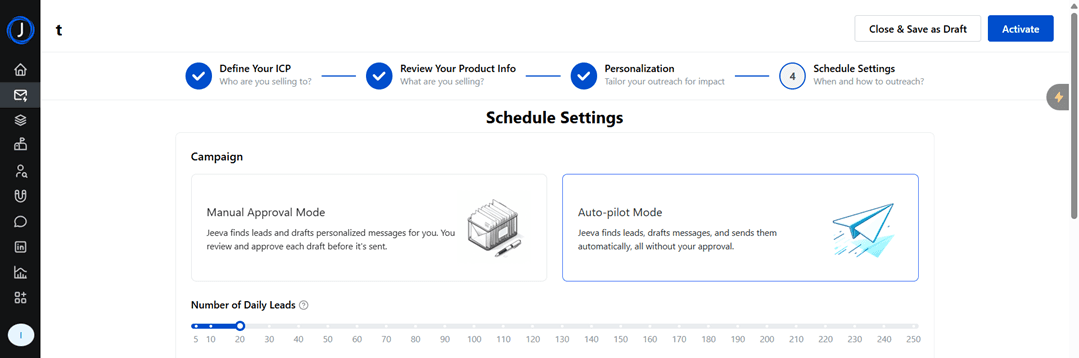
Campaign Modes
Manual Approval Mode
Jeeva drafts personalized emails and messages for you.
You review and approve each draft before it’s sent.
Best for teams that want tighter control over messaging.
Auto-pilot Mode
Jeeva drafts and sends messages automatically without needing your approval.
Ideal for faster outreach with minimal manual work.
2. Number of Daily Leads
Set how many leads you want to enrol in the campaign per day.
Adjustable slider (e.g., 5–250 leads).
Helps control the scale of outreach and manage deliverability.
3. Schedule Settings
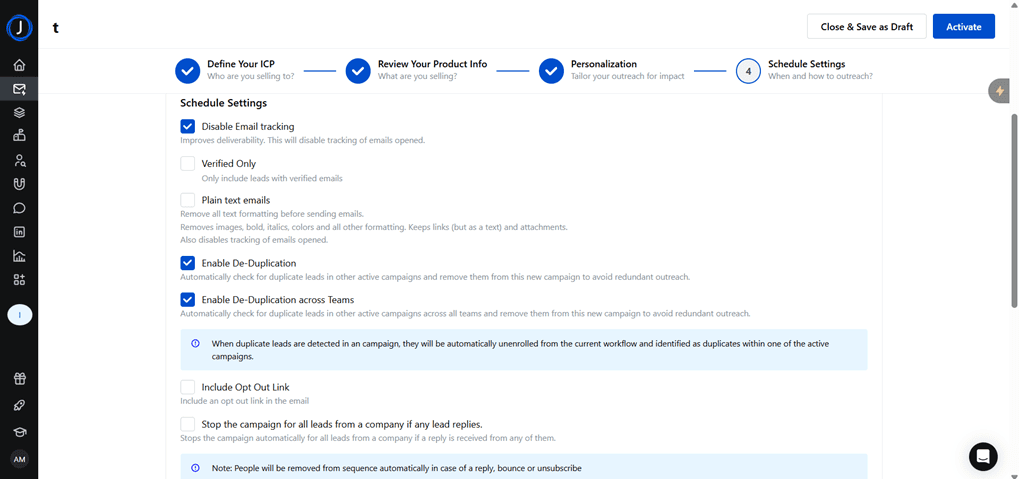
Disable Email Tracking
Turns off open/click tracking.
Boosts deliverability since tracked links often trigger spam filters.
Verified Only
Ensures only leads with verified emails are included in outreach.
Reduces bounce rates and keeps reputation safe.
Plain Text Emails (For High Deliverability - Uncheck)
Removes all formatting, colors, images, and links (except raw text).
Keeps emails clean and less likely to hit spam folders.
Enable De-Duplication
Removes duplicate leads from the same campaign to avoid repeated outreach.
Enable De-Duplication Across Teams
Prevents the same lead from being targeted by multiple campaigns across the entire team.
Include Opt-Out Link
Adds an unsubscribe link to your emails.
Helps with compliance (e.g., GDPR, CAN-SPAM).
Stop Campaign for All Leads from a Company
If one person at a company replies, Jeeva stops outreach to others from the same company.
Avoids over-contacting and improves professionalism.
4. Email Sending Schedule
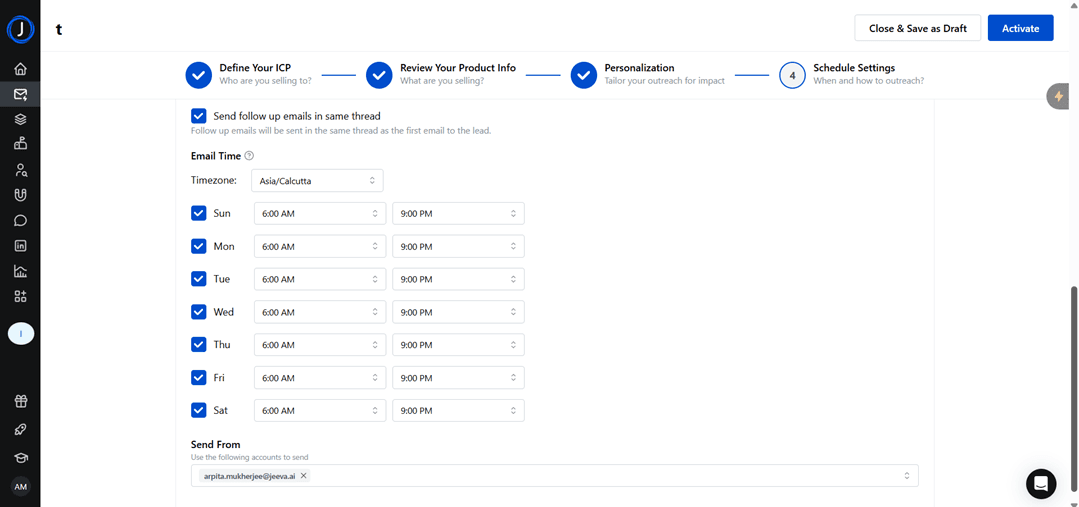
Set time windows for sending emails (e.g., 6:00 AM – 9:00 PM).
Configure per day of the week (Sunday–Saturday).
Adjust to match the recipient's time zone for better response rates.
5. Follow-Up Settings
Send follow-up emails in the same thread
Keeps the conversation continuous instead of starting a new thread.
Makes outreach feel more natural.
Intervals Between Emails
Choose wait times (e.g., 2 days) between follow-ups.
Ensures prospects aren’t overwhelmed while maintaining consistent engagement.
6. Sender Identity
Define the email account(s) from which outreach will be sent.
Example:
arpita.mukherjee@jeeva.ai.Keeps branding consistent and avoids deliverability issues.
✅ Together, these settings ensure campaigns are personalized, compliant, and optimized for high deliverability while giving you the flexibility to choose manual review or full automation.
See how fast you can book meetings when AI handles the busy work for you.