TD;LR Summary: AI makes lead list building faster, more accurate, and fully automated in 2026. Instead of manually researching companies and contacts, AI tools find ICP-fit accounts, identify decision-makers, enrich profiles, validate emails, score leads, and segment them for multi-channel outreach.
Teams in the US, UK, Canada, Australia, and New Zealand now use agentic AI platforms like Jeeva AI to generate ready-to-use lead lists in minutes, boost reply rates, and save 10–14 hours of manual work every week.
Introduction
Building accurate lead lists has always been one of the most time-consuming parts of sales. Sales teams spend hours researching companies, finding decision-makers, validating emails, and enriching profiles.
But in 2026, AI has completely transformed this process. Instead of manual research, AI agents now identify ICP-fit companies, analyze buyer signals, enrich contacts, validate data, and create segmented lead lists automatically.
AI Lead Generation is no longer optional.
Teams across the US, UK, Canada, Australia, and New Zealand now use AI to build faster, cleaner, and more accurate lead lists that convert better.
What Is an AI-Powered Lead List?
An AI-powered lead list is a prospect list that is discovered, enriched, validated, and segmented automatically using intelligent systems instead of manual research. AI continuously analyzes data sources to keep the list accurate, relevant, and ready for outreach.
Fact: AI-generated lead lists improve reply rates by 2.4× and reduce research time by 80%.
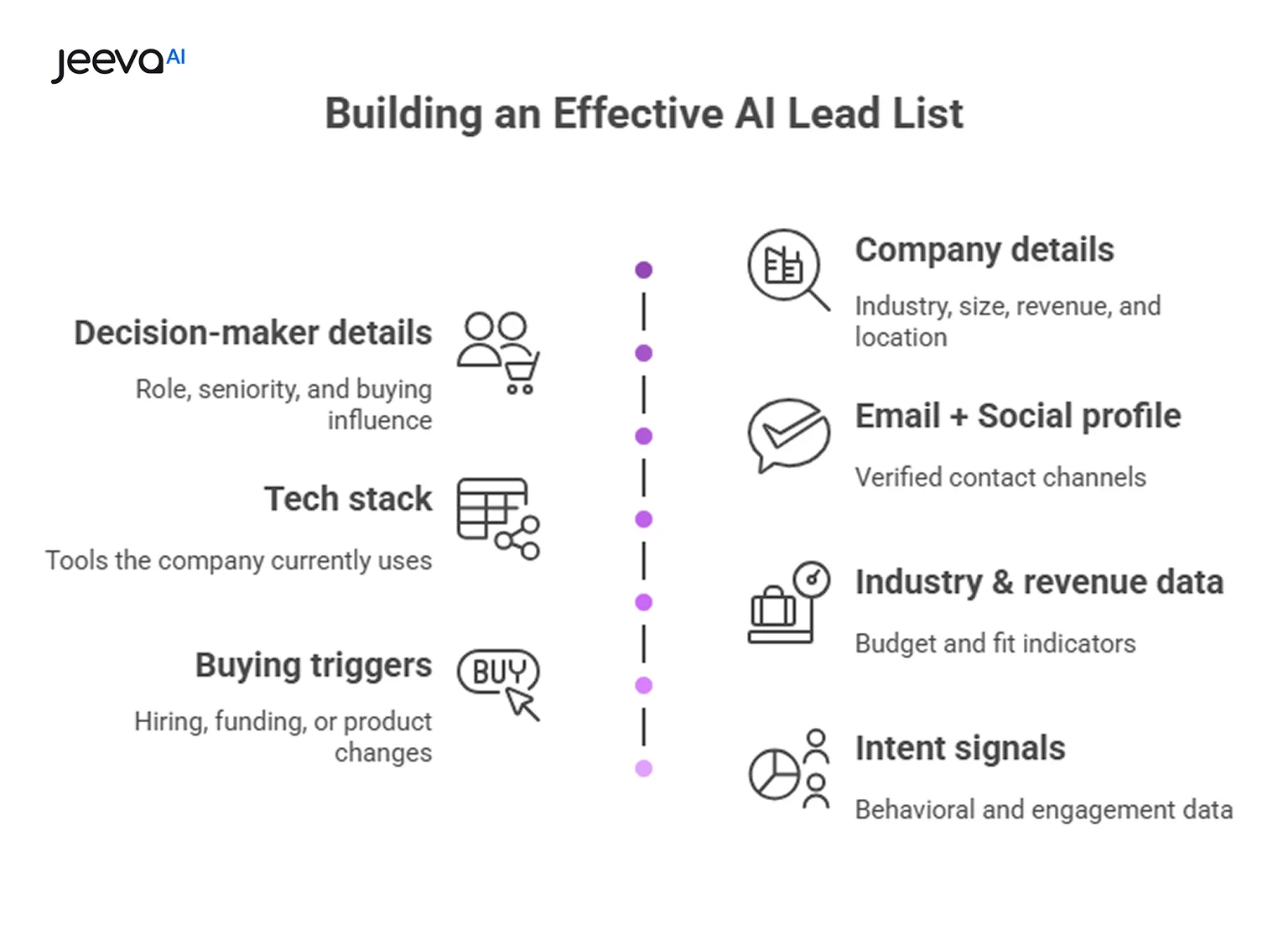
What an AI Lead List Includes
Company details – Industry, size, revenue, and location
Decision-maker details – Role, seniority, and buying influence
Email + LinkedIn profile – Verified contact channels
Tech stack – Tools the company currently uses
Industry & revenue data – Budget and fit indicators
Buying triggers – Hiring, funding, or product changes
Intent signals – Behavioral and engagement data
AI ensures every lead is complete and accurate. Lists stay outreach-ready without manual cleanup or guesswork.
How to Build Lead Lists with AI in 2026: Step-by-Step (Fully Explained)
Step 1: Define Your Ideal Customer Profile (ICP)
Before using AI, you must tell it who your perfect customer is. AI performs best when your ICP is clear. A strong ICP helps the system filter the right companies and avoid irrelevant segments. This step acts as the foundation of the entire list-building workflow.
What to define:
Industry
Company size
Revenue
Geography
Tech stack they use
Job roles you target
Why it matters: A sharp ICP improves lead accuracy, helps AI avoid noise, and boosts outreach relevance.
Step 2: Use Firmographic Filters to Identify Companies
Firmographics help AI understand if a company matches your ICP. These filters help AI search through millions of businesses and pick only the ones relevant to your product. For SaaS teams, this is the fastest way to identify high-fit accounts.
Firmographic filters include:
Industry type
Location (US, UK, CA, AUS, NZ)
Employee count
Revenue
Funding stage
Business model (SaaS, agency, eCommerce)
Why it matters: Firmographics improve list accuracy by ensuring all leads are a strong foundational fit.
Step 3: Add Technographic Signals for Higher Precision
Technographics show which tools a company uses. For SaaS sales teams, this is the most powerful filter because it helps you target companies that already use tools similar to or compatible with your product.
Technographic details AI analyzes:
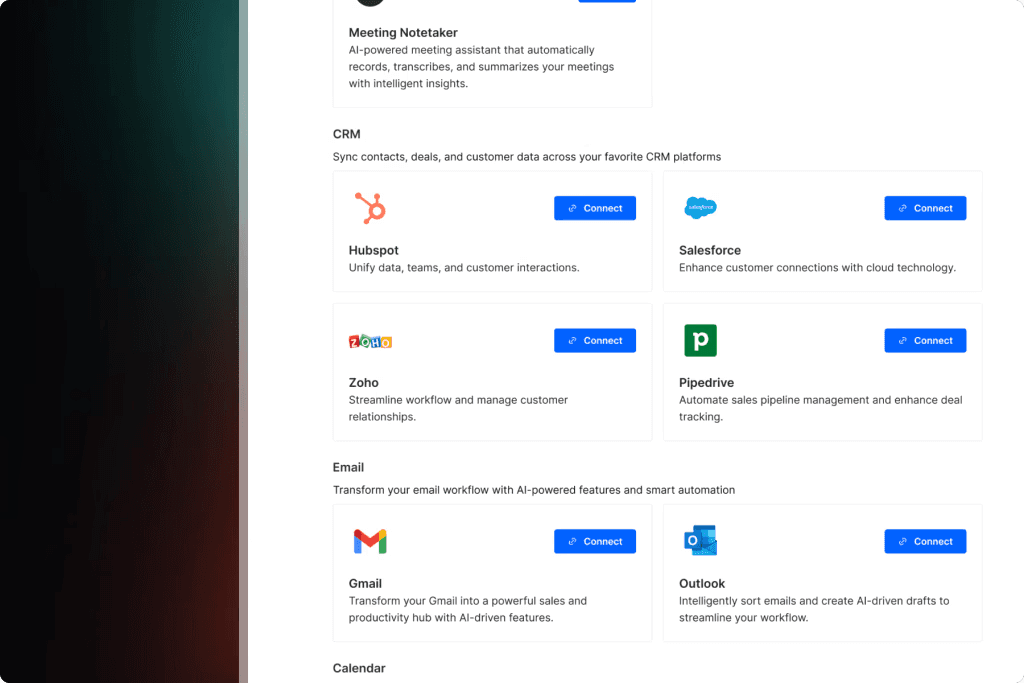
CRM (Salesforce, HubSpot, Zoho)
Sales tools
Marketing automation
Competitor products
Integration-friendly platforms
Why it matters: Technographic filtering improves conversion because prospects are already “tool-aware.”
Step 4: Identify Decision-Makers Automatically
Once AI finds the right companies, it locates the right people within them. AI scans LinkedIn, public datasets, hiring listings, and corporate sites to identify decision-makers with purchasing authority.
Roles to target:
VP of Sales
Director of Sales
RevOps
CRO
SDR/BDR Manager
Founders (SMB/Mid-market)
Why it matters: Contacting the wrong person slows down the sales cycle. AI ensures every lead is a key buyer.
Step 5: Use AI Tools to Discover & Verify Emails
AI searches multiple data sources to find accurate email addresses and phone numbers. Instead of guessing email formats or scraping manually, AI automatically validates and verifies each contact.
What AI checks:
Email existence
Domain status
Spam reputation
Role-based emails
Disposable addresses
Why it matters: AI verification reduces bounce rates and protects your domain health.
Step 6: Enrich Each Lead with Real-Time Data
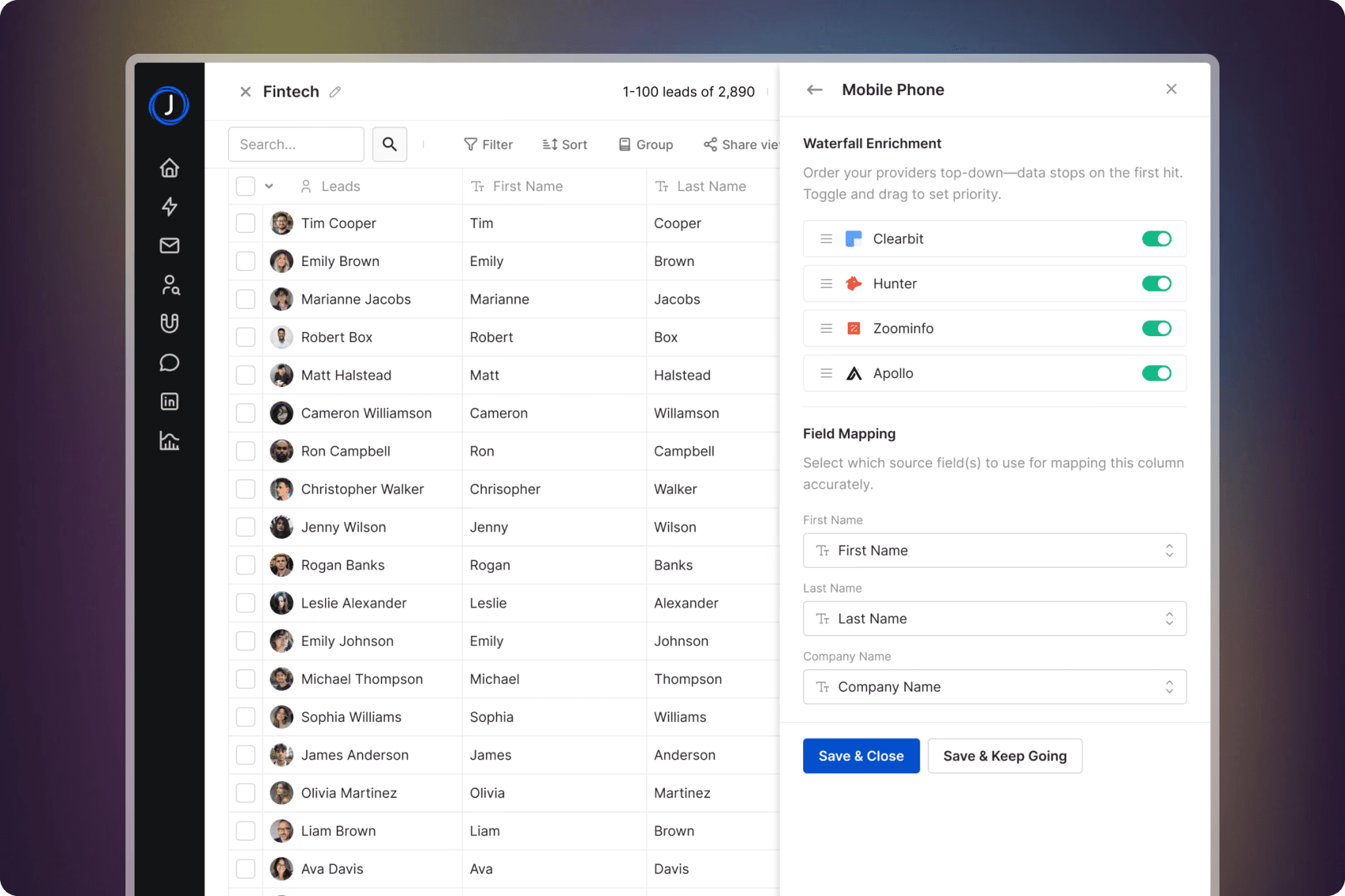
Lead enrichment is the process of adding missing details so you have a full picture of every lead. AI pulls live data from web sources, CRMs, social profiles, and company databases to enrich prospects.
Data AI enriches:
LinkedIn profile
Job title changes
Funding updates
Company news
Tech stack
Industry changes
Why it matters: Enriched leads convert significantly better because your outreach becomes more relevant.
Step 7: Validate All Data Before Outreach
Even after enrichment, AI runs another validation step to make sure the emails, phone numbers, and job roles are still accurate. This helps avoid sending emails to outdated or wrong contacts.
What AI validates:
Email deliverability
Phone accuracy
Decision-maker status
Company activity
Domain reputation
Why it matters: A validated list protects your deliverability and improves your sender score.
Step 8: Score Leads Automatically with AI
AI assigns a score to each lead based on how likely they are to convert. It analyzes hundreds of signals, from tech usage to title seniority to company momentum.
Scoring criteria:
ICP fit
Role relevance
Technology usage
Buying signals
Website engagement
Growth indicators
Why it matters: Sales teams can focus on the highest-probability leads first—saving time and boosting pipeline.
Step 9: Segment Leads for Personalization
Segmentation helps AI personalize messaging for different types of prospects. Instead of sending one generic campaign, you target groups with similar characteristics.
Segmentation buckets:
Industry
Geography
Tech stack
Company size
Pain points
Use case
Why it matters: Segmented outreach generates 3x higher response rates.
Step 10: Prepare Multi-Channel Lead Lists (Email+ SMS + Others)
AI structures your list in a way that supports multi-channel outreach. Instead of only email, you now build lists that work across, SMS, WhatsApp, phone, and chatbots.
Channels AI optimizes for:
Email
Social messaging Apps
SMS
Chatbots
Calendar-first flows
Why it matters: Multi-channel outreach increases engagement by 320%.
Step 11: Automate the Entire Process with Agentic AI
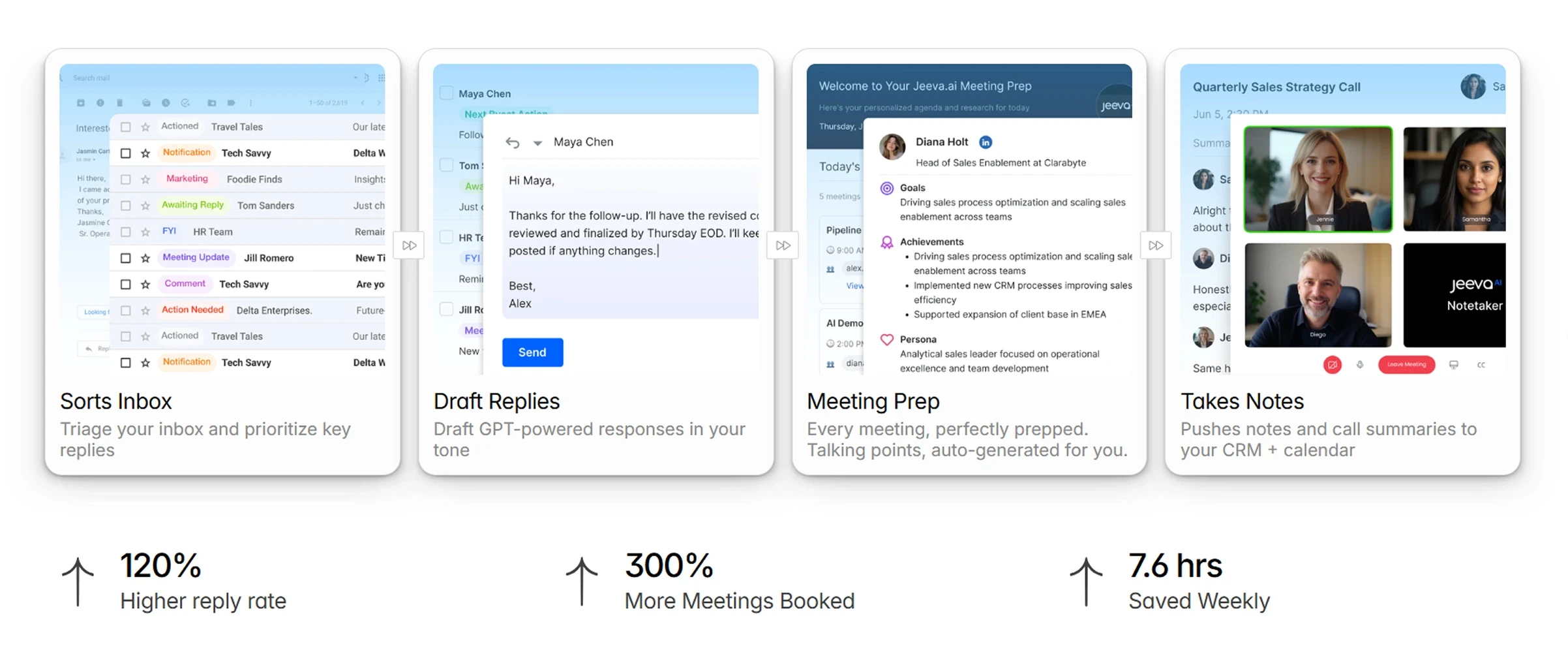
Agentic AI platforms like Jeeva AI automate all steps above. Multiple AI agents work together—one finds leads, one enriches them, one validates them, and one qualifies replies.
Jeeva AI Agents:
Prospector Agent
Enrichment Agent
Qualification Agent
Smart Inbox Agent
Writer Agent
Calendar Agent
Why it matters: Jeeva AI users save 10–14 hours weekly and build lists automatically every day.
Comparison Table (AI Lead List Tools 2026)
Tool | Best Use Case | Strength |
|---|---|---|
Full automated list-building | Multi-agent workflows | |
Clay | Enrichment automation | Real-time pipelines |
Apollo | Prospect sourcing | Large dataset |
Clearbit | Company intelligence | Accurate firmographics |
ZoomInfo | Enterprise research | Deep data coverage |
Conclusion
AI has fully changed lead list building. Instead of manually researching companies and contacts, AI now handles ICP filtering, company sourcing, enrichment, verification, segmentation, and scoring automatically.
This makes prospecting faster, more accurate, and more scalable while letting reps focus on conversations, not data entry.
Teams across the US, UK, Canada, Australia, and New Zealand now rely on AI Lead Generation to keep their pipelines full and predictable.
FAQ
How do you build a lead list with AI in 2026?
What data does AI use to generate accurate lead lists?
What is the benefit of using AI instead of manual list building?
What is the benefit of using AI instead of manual list building?
What is the best AI tool for building B2B lead lists?