
Lead Gen
Discover ideal companies by industry, size, and location

Gaurav Bhattacharya
CEO, Jeeva AI
Overview
The Find Companies workflow lets you build a list of ideal target accounts based on firmographic, technographic, and hiring data. Instead of just finding individuals, you can identify entire companies that match your ICP (Ideal Customer Profile).

Step 1: Access the Workflow
● From the dashboard, go to Find Leads → Find Companies.
● Click Use Workflow.

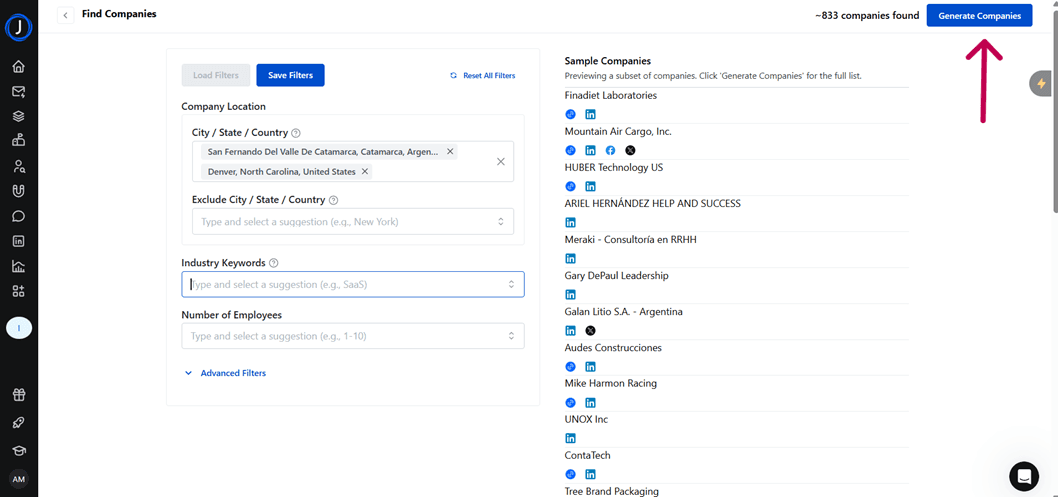
Step 2: Apply Basic Filters
● Set your Company Location (City, State, or Country).
● Add or exclude specific Industry Keywords.
● Narrow by Number of Employees.

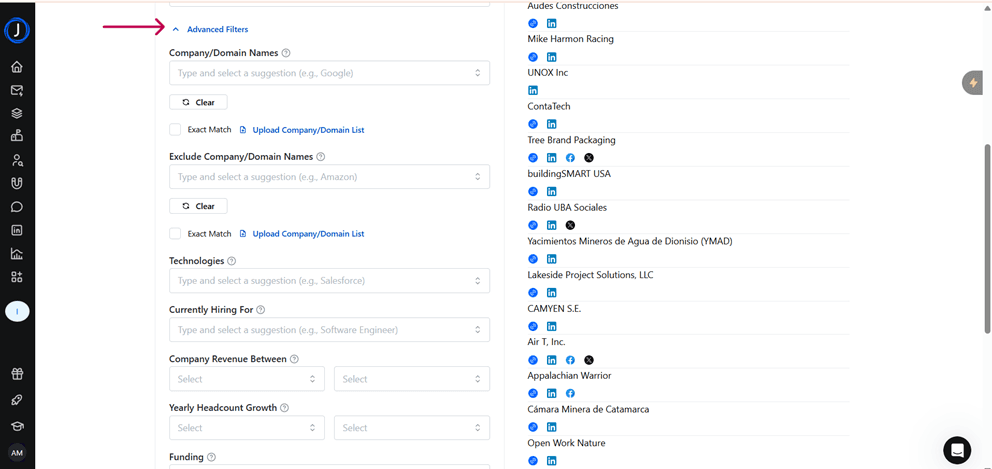
Step 3: Apply Advanced Filters (Optional)
For more precision, you can also add:
● Company/Domain Names (include or exclude, or upload a list)
● Technologies Used (e.g., Salesforce, HubSpot)
● Currently Hiring For (open job roles)
● Revenue Range
● Yearly Headcount Growth
● Funding Stage (e.g., Seed, Series A, IPO)
Step 4: Preview Companies
● Once filters are set, a preview of sample companies will appear on the right.
● Click Generate Companies for the next steps.
Step 5: Next Actions
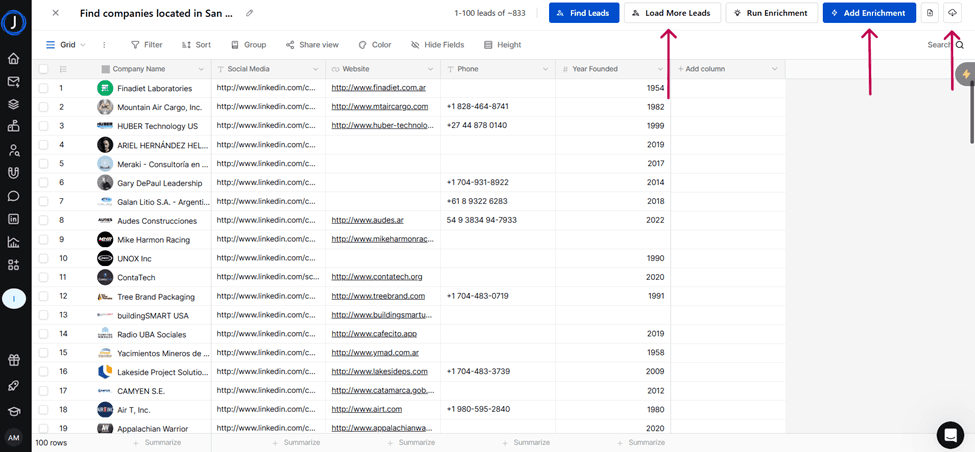
From here, you can:
● Export the company list.
● Load more Leads (Companies)
● Add Enrichment
See how fast you can book meetings when AI handles the busy work for you.
Was this article helpful?