Enrichment
Upload a CSV or Excel file and uncover verified email addresses across your leads, ensuring higher match rates and reliable outreach.

Gaurav Bhattacharya
CEO, Jeeva AI
Enrich Lead Lists with Emails
Overview
The Enrich Lead Lists with Emails workflow helps you discover verified email addresses for a list of prospects, enabling higher match rates and more reliable outreach at scale.
Step 1: Open the Workflow
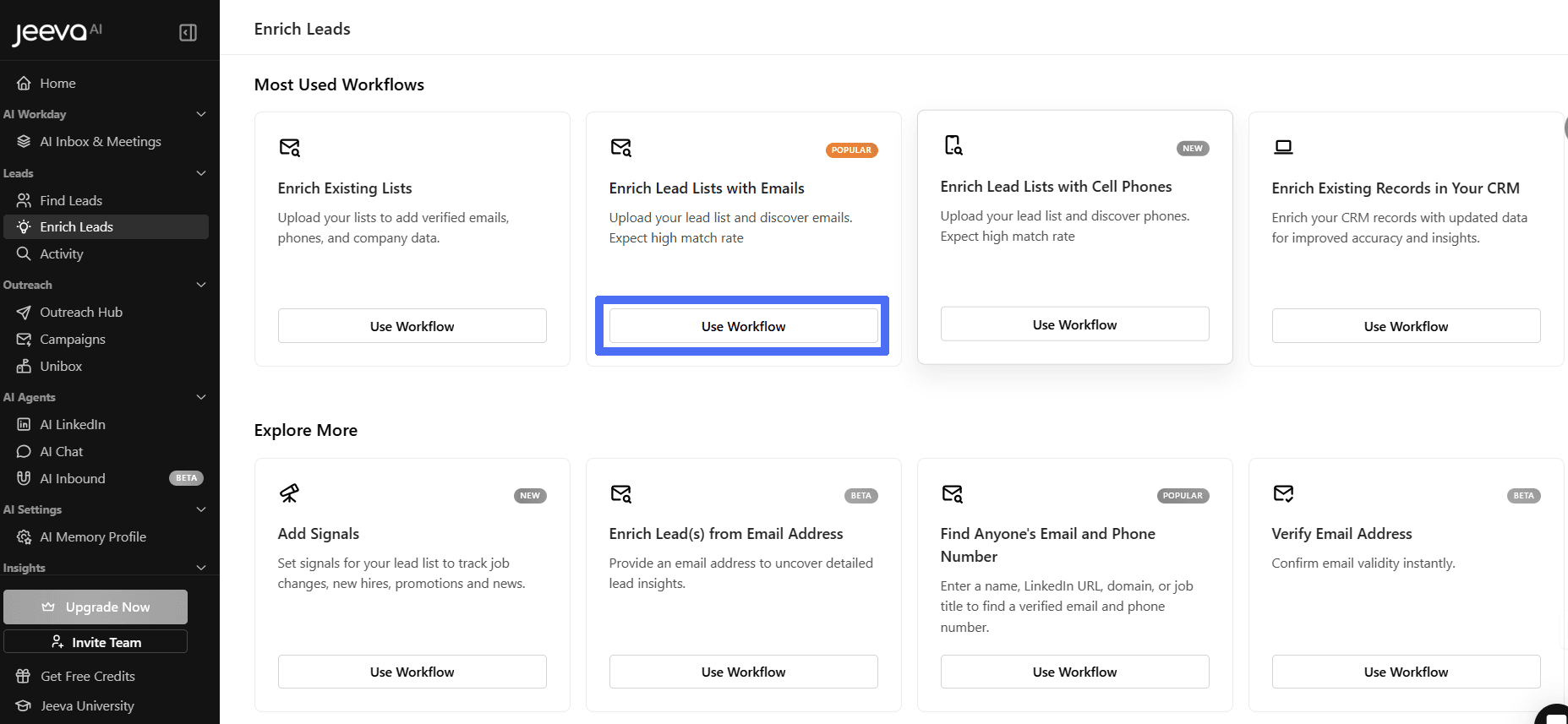
From the left navigation bar, click Enrich Leads.
Under Most Used Workflows, locate Enrich Lead Lists with Emails.
Click Use Workflow.

Step 2: Select a Data Source
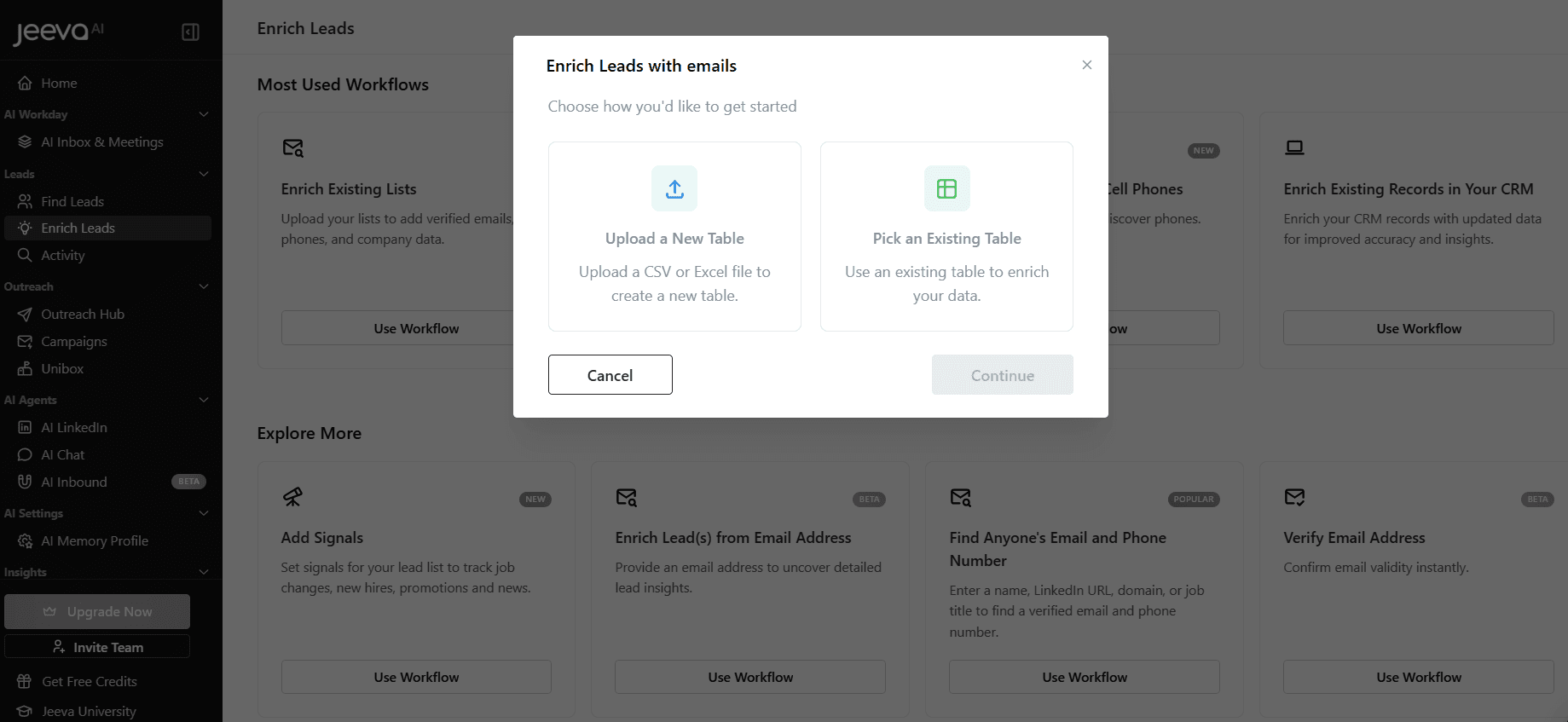
Choose how you want to begin:
Upload a New Table – Import a CSV or Excel file
Pick an Existing Table – Use a previously saved table
Step 3: Upload & Map Fields
Upload your file and confirm it includes identifiers such as Name, Company, or Domain.
Jeeva AI automatically detects and maps fields for enrichment.
Step 4: Run Email Enrichment
Click Continue to start enrichment.
Verified email addresses are appended to your lead list.
Step 5: Review & Take Action
Once enrichment is complete, review the updated table.
From here, you can:
Export the enriched list
Enroll leads into campaigns
Add additional enrichment (e.g., phone numbers, signals)
Best Practice: Run email enrichment before launching outreach to improve deliverability and reduce bounce rates.
See how fast you can book meetings when AI handles the busy work for you.